A clear welcome for Ted. A smooth handoff for your event.
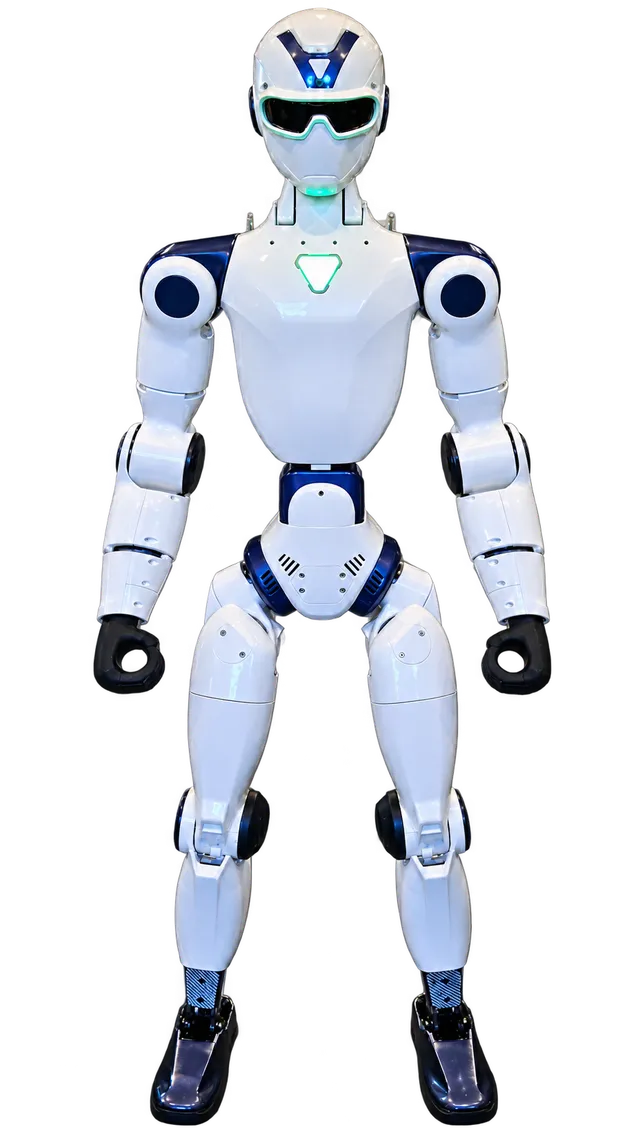
Start with the sentence you want guests to remember.
Write one line about your event before writing a line about the robot. It might be a new chapter for your brand, a company celebration or a question your seminar explores. That sentence gives your host a reason to introduce Ted beyond announcing an unusual guest.
Decide what follows the appearance: a human-led conversation, your next speaker, a product display or a break in the program. Give that next step a named person and a place. Your team handles the discussion about your business.
An introduction your host can adapt.
Once your event arrangements are agreed, replace the brackets and review the wording with your event team. Keep the finished script with your running order.
Welcome to [event name]. Today we are exploring [your event theme or question]. Please meet Ted, a Unitree R1 EDU humanoid robot, with the EZ Robot Rentals team. The team brings and operates Ted. [Host name] will guide this part of our program, and we will follow the appearance agreed for today. Afterward, [named host] will take us to [next part of your event].
For a brand reception, the last sentence could be: “If you would like to explore [your business topic], [representative] is at [human-hosted location].” For a seminar: “[Speaker] will connect what we observed to [the session question].” Choose the line that fits your actual program.
Put one cue card beside the running order.
Use these five rows in your own event notes. The host, producer and operator should be able to recognize the same agreed plan.
| Moment | Cue owner | What needs to be agreed? | Guest next step |
|---|---|---|---|
| Welcome | Your human host | Final introduction and event theme | The agreed viewing arrangement |
| Ready to begin | Your coordinator and EZ Robot Rentals | The agreed cue and operated appearance | The part of the program you have confirmed |
| Questions | The named human host | Who answers questions and how they are gathered | The person handling the next conversation |
| Brand or seminar handoff | Your representative or speaker | One clear sentence and a known location | Your staffed conversation, display or next session |
| Close | Your event host | Closing line and next running-order item | The next part of your event |
Leave an unconfirmed row marked “to discuss.” Review the same cue card again if the room, timing or program changes.
Make the handoff easy to follow.
For networking, identify the human host who welcomes guests into the conversation. For a product launch, agree who talks about the product and where that discussion happens. For a seminar, give the speaker one question to return to after the appearance.
Ask a colleague to read the script aloud. Can they tell who brings Ted, who guides the audience and what happens next? Shorten anything that makes the introduction harder to follow.
Bring the useful details to Edmund.
Send your Long Island town and actual venue, preferred date or options, audience estimate and proposed program slot. Include the introduction you are considering and any venue or company review requirements. A short unfinished script is enough to start a focused conversation.
Useful questions. Clear next steps.
Who delivers the introduction?
Your chosen human host or event representative. EZ Robot Rentals brings and operates Ted; agree the introduction and event arrangements together.
Can we use this before a date is confirmed?
Use it privately to develop your plan. Publish an event announcement only after the date, activities and arrangements have been confirmed and your team has approved its wording.
Does a cue card confirm an event booking?
No. It helps organize the conversation. Send the existing inquiry or call Edmund; the event and quote are confirmed separately.