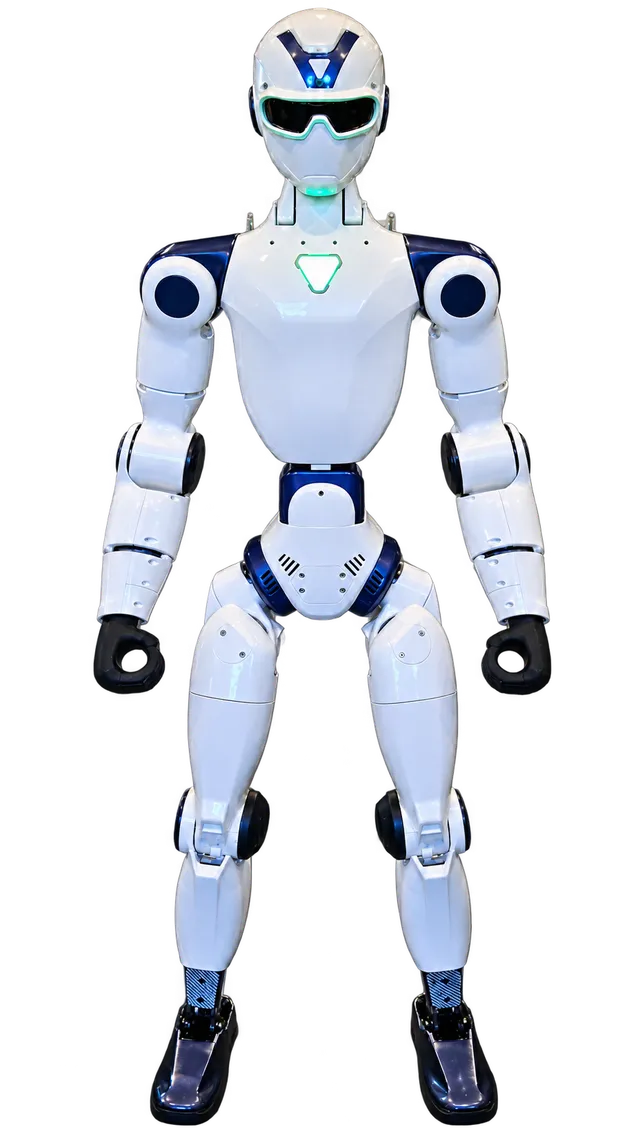
Our example
We are looking at [the Ted photo / a named moment in the video / the agreed demonstration].
Use the Ted photo or the existing dance video for a classroom discussion, or use observations from a demonstration that has been agreed for your visit. Tell the group which picture or moment they are discussing. The sheet can be used before you book a visit.
For younger learners, choose one prompt and invite a word or drawing. Older learners can write an explanation and identify what would help them investigate it. Your teaching team decides the pace and approach.
Copy or print these prompts for use in your own classroom. Keep classroom responses with your school. No student name or personal information is needed for this resource.
We are looking at [the Ted photo / a named moment in the video / the agreed demonstration].
Describe something visible. Write or draw what you noticed, and identify the picture or moment that supports it.
Write a possible explanation. Mark it as an idea to discuss rather than a fact you have established.
Choose one question that the observation has not answered.
Describe the information, comparison or adult-led discussion that could help your class explore the question.
Sketch an imagined machine for a useful purpose. Label one design choice and explain who it is intended to help.
One photograph supports the observation about visible parts. It does not answer every question about a machine’s design or behavior. Invite students to keep the observation and the question as separate entries.
In Ted’s standing photo, I can see two legs.
Why might a designer choose legs for a robot?
Compare pictures of different machine shapes and discuss the jobs their designers might have in mind.
After the discussion, invite learners to sketch a machine for a problem they choose. Ask: Who would it help? What would its surroundings be like? Why did you choose that shape or feature?
A drawing is a design idea, not a claim that Ted performs the proposed task. Revisit the drawing after another lesson and ask what the learner would change and why. Teachers select follow-up materials and retain responsibility for the classroom activity.
Tell Edmund your school or program, Long Island town, grade band or group-level age range, approximate audience, date options and teaching focus. Use the existing inquiry for adult contact details and the event plan; keep student names and individual records out of it.
The visit is an operated demonstration with an agreed plan. This worksheet is an optional teacher resource, not a coding course, software-access package or certified curriculum.
No. Use the photo or existing video as a discussion starting point and adapt the prompts for your class. A visit is arranged separately through the adult organizer.
The worksheet uses teacher-led observation, discussion and drawing. EZ Robot Rentals operates Ted during an agreed visit; student operation and coding access are not part of this worksheet.
No. Keep student work in your school’s usual classroom process. Share the adult organizer’s event plan and group-level teaching goals when you inquire.